Adding a GitHub Container Registry
To link your GitHub Container Registry (also known as GitHub Packages) with ODIN Fleet, follow these steps:
1. Access the Docker Registries Section
Navigate to "Settings" in the ODIN Fleet dashboard after selecting/creating your app. In Settings, navigate to the " Docker Registries" tab.
2. Add a New Registry
Click the "Add Registry" button and select "GitHub" from the options.
3. Provide Required Information
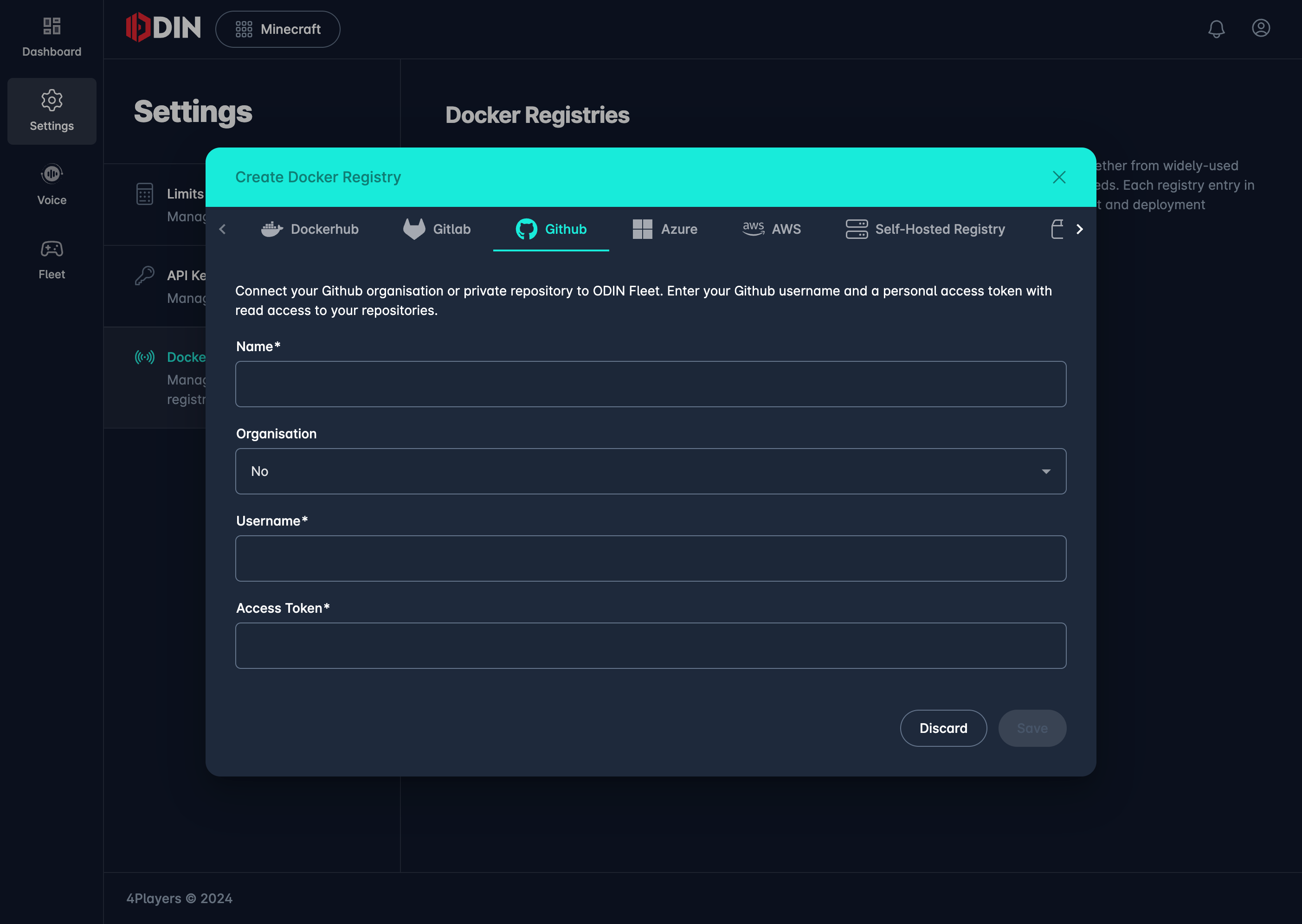
Enter the following details to establish a connection with your GitHub Container Registry:
- Name: Enter a name for this registry connection.
- Organization: Select "Yes" if you are connecting a GitHub organization account or "No" for a personal account.
- Username: Enter your GitHub username.
- Access Token: Provide a Personal Access Token (PAT) with the required scopes.
Authentication and Access Tokens
To authenticate with GitHub Container Registry, you'll need to create a Personal Access Token (PAT) with at least the
read:packages scope. Depending on your requirements, you may also need additional scopes like delete:packages or
write:packages.
-
Creating a PAT: Follow GitHub's official guide on creating a Personal Access Token.
- For personal repositories or organization repositories that support granular permissions, ensure your PAT includes
the
read:packagesscope. - If your package is in a registry that requires repository-scoped permissions, your PAT must also include the
reposcope.
- For personal repositories or organization repositories that support granular permissions, ensure your PAT includes
the
4. Save the Configuration
After entering the necessary details, click "Save" to complete the integration.
You can now pull images from your GitHub Container Registry directly within ODIN Fleet.